- Login to dashboard of your WordPress website.
- Go to Plugins and then select Add New.
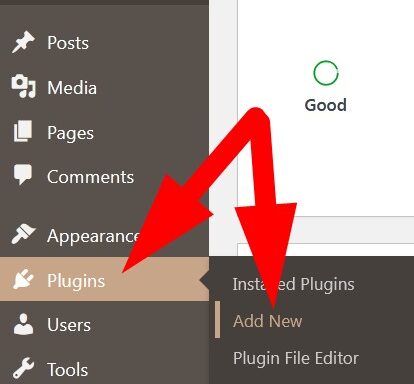
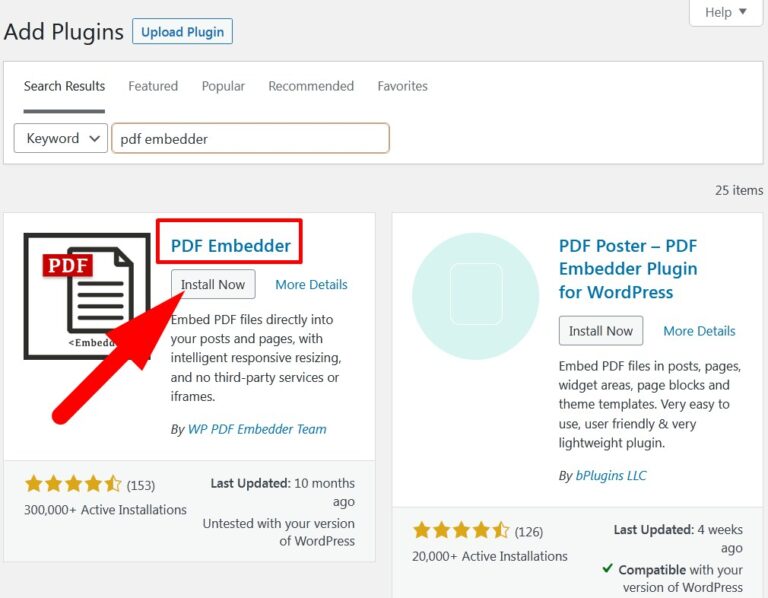
- In the search bar, type pdf embedder. List of Plugins will appear.
- Click over Install Now to install the plugin as directed in the below image.
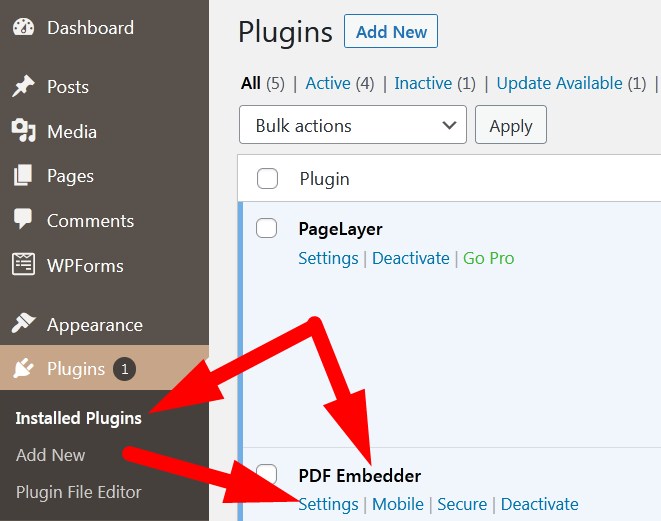
- After installing the plugin, Activate it.
- On the Installed Plugin page, go to Settings as directed in below image.
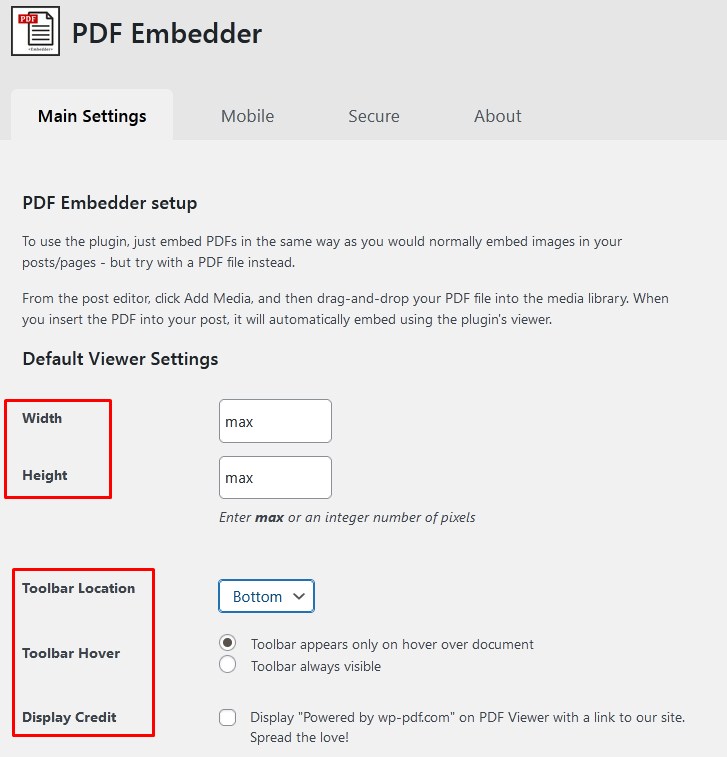
- On the next page, manage the settings as per your choice and click over Save Changes.
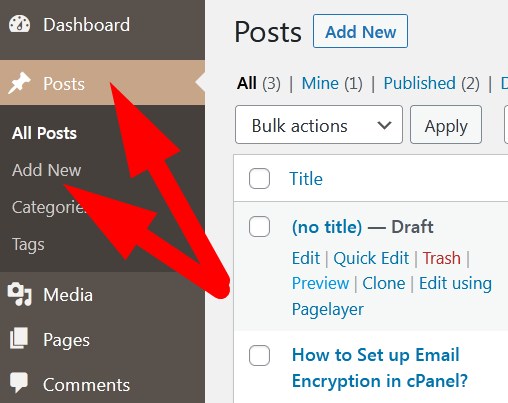
- Now, go to Posts and Add New post to verify.
- On the next page, click over + Add icon and then select PDF Embedder. (Refer to below given image)
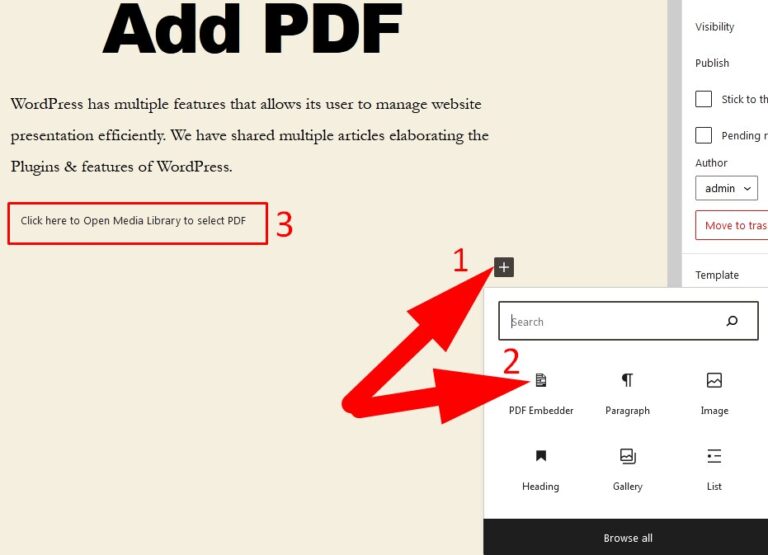
- Click over the marked area as directed in above image to add PDF.
- Select or Upload the PDF file which you want to add.
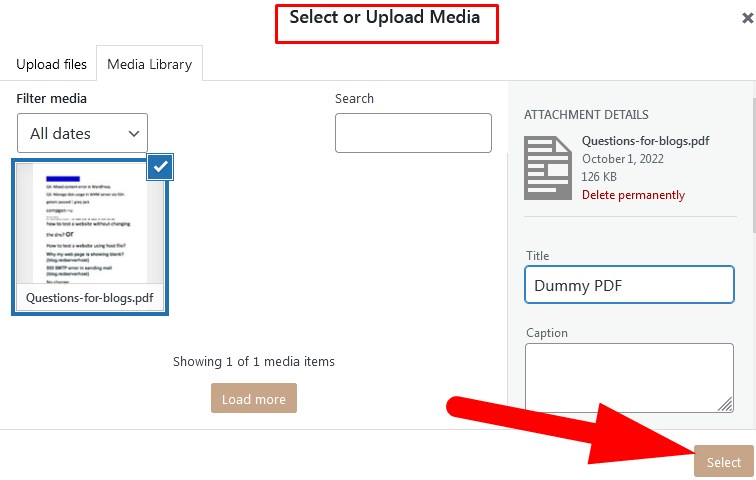
- Enter the details related to file and Select.
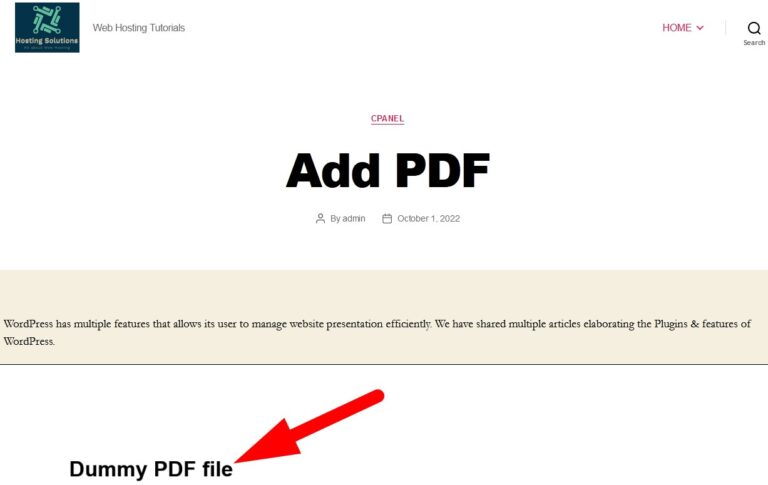
- Now, click over Publish to publish the post with PDF file. (You can click over Preview as well to verify)
The End! should you have any inquiries, we encourage you to reach out to the Vercaa Support Center without hesitation.